WooCommerce Product Attributes: The Complete Guide

WooCommerce Product Attributes: The Complete Guide

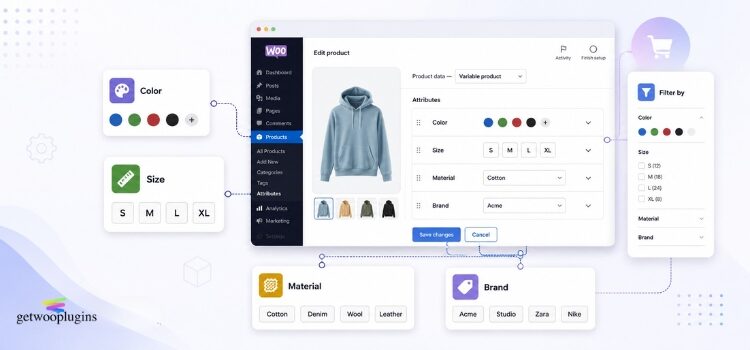
Attributes are one of the most useful parts of WooCommerce. They are also one of the most confusing.

Most store owners meet attributes for the first time when they try to build a variable product. They add a “Size” attribute, tick a box, and hope for the best. Then something breaks. The filter shows nothing. The attribute does not appear on the product page. Or the same color is spelled three different ways across the shop.

This guide fixes that. You will learn what attributes are, the difference between global and custom attributes, how to create both, how to show them, how to filter with them, and how to fix the problems that come up most often.

Everything here is checked against the official WooCommerce documentation. Where a feature needs a plugin, or only works in certain conditions, we say so.

Continue reading
How to Turn WooCommerce Variation Dropdowns Into Radio Buttons

How to Turn WooCommerce Variation Dropdowns Into Radio Buttons

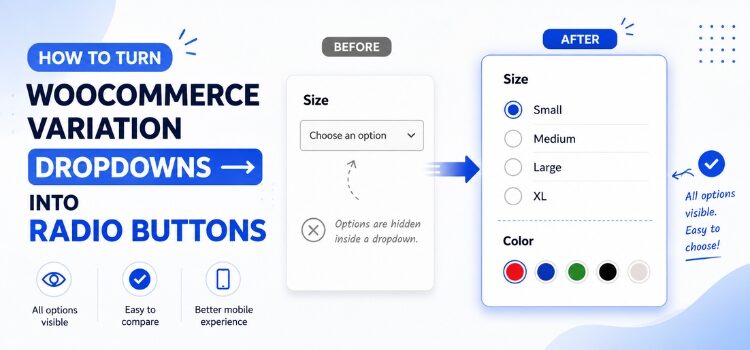
Open any WooCommerce variable product. The sizes, the colors, the materials — they all sit hidden inside a grey dropdown. Your shopper has to click once just to see what you sell.

That extra click costs you. Shoppers cannot compare options side by side. They cannot see that the red one is sold out until after they pick it. On a phone, the dropdown opens a native picker that covers the whole screen.

Radio buttons fix this. Every option sits on its own line, visible without a click, with a familiar circle to tick. This guide shows you two ways to get them — one with code, one with a plugin — plus the free button and color swatch options if radio turns out not to be what you want.

Continue reading

How to Hide or Blur Out-of-Stock Variations in WooCommerce

How to Hide or Blur Out-of-Stock Variations in WooCommerce

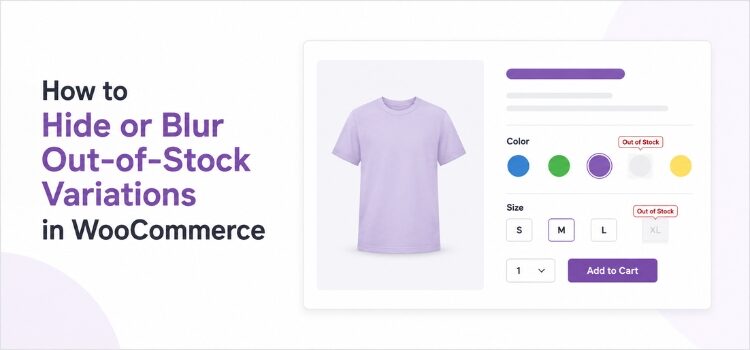
You have a great product page. It shows five colors and four sizes. That is twenty options in total.

Now, let’s assume a shopper visits your page. She clicks “White.” Then she clicks “XL.” And then she sees this message: This item is currently out of stock and unavailable.

That is a bad moment. She did the work of choosing. Your store gave her nothing back.

Most WooCommerce store owners eventually run into the same question: How do I stop showing variations that customers can’t buy?

WooCommerce gives you one built-in setting that covers part of this. The rest you shape yourself. There are four ways to handle it, and hiding is not always the best one. Sometimes it is better to blur the option, cross it out, or grey it out.

This guide shows you all four ways. You will learn how each one works, what the code looks like, and which one fits your store.

Continue reading

WooCommerce Color Swatches: The Complete Guide to Better Product Pages

WooCommerce Color Swatches: The Complete Guide to Better Product Pages

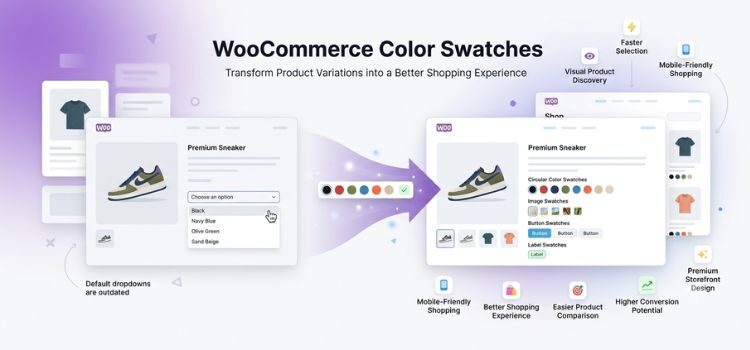
Let’s assume a customer visiting your store to buy a blue T-shirt. She scrolls down to the color option and sees a plain dropdown box that says “Choose an option.”

She clicks it, and a list of names shows up, like Navy, Charcoal, Ocean Blue, and Slate. There are no pictures and no visual clues at all. She cannot tell Ocean Blue apart from Navy without clicking each one and waiting for the product image to change.

That is an extra click and a few seconds of wasted time. Now, multiply that across every product in your store and every visitor who lands on them. It becomes clear why a simple dropdown menu can quietly hurt your sales.

Continue reading

Ecommerce Strategy: The Complete Guide to Growing Your Online Store

Ecommerce Strategy: The Complete Guide to Growing Your Online Store

Selling things online is a big business. To do well, you need a good ecommerce strategy. This is like a clear plan for your online store. The internet changes fast, and many new online shops open every day. So, businesses need a strong plan to not just stay alive, but to grow and make more money.

This guide is for everyone: new online sellers, Shopify or WooCommerce store owners, or marketing managers. It will help you understand how to build, make better, and grow your online business. We will share simple ideas, useful steps, and real examples. Our goal is to make this the most helpful guide for you to increase your sales.

We will cover basic ideas, important success factors, and smart ways to improve your store. We will also talk about how to use tools like WooCommerce plugins. Every part of this guide will teach you something useful and easy to use. Get ready to change how you sell online and start growing your business.

Continue reading

Unlock more sales with Variation Swatches for WooCommerce-and yes, it’s 100% free.

Unlock more sales with Variation Swatches for WooCommerce-and yes, it’s 100% free.

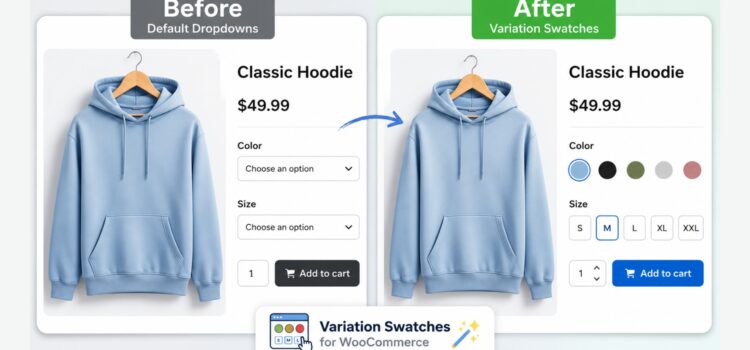
Look closely at the comparison. The difference isn’t just aesthetic-it’s financial.

Most WooCommerce store owners spend thousands of dollars and countless hours obsessing over top-of-funnel marketing. They fine-tune Meta campaigns, optimize for SEO, and burn through ad spend to drive targeted traffic to their product pages.

But the moment a potential buyer lands on the page, they hit an invisible wall: the default WooCommerce variation dropdown.

Continue reading

What is FOMO Marketing and why it works so well

What is FOMO Marketing and why it works so well

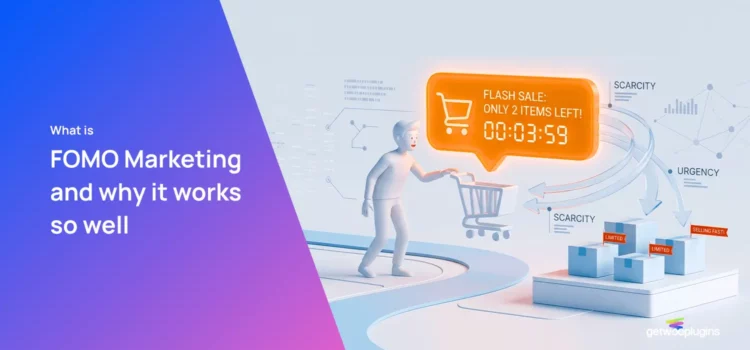
FOMO marketing-short for Fear of Missing Out-is a powerful psychological trigger used by brands to drive urgency, boost conversions, and increase engagement. It taps into the human instinct to avoid regret by emphasizing scarcity, limited-time offers, or exclusive access.

When customers believe they might lose out on something valuable, they’re far more likely to act immediately. This emotional response is not just a trend; it’s a proven strategy rooted in behavioral psychology and widely adopted across e-commerce, social media, and digital advertising.

Continue reading

How to Launch a Product on WooCommerce: A Step-by-Step Guide for Maximum Impact

How to Launch a Product on WooCommerce: A Step-by-Step Guide for Maximum Impact

Launching a product successfully on WooCommerce isn’t just about uploading an image and hitting “publish.” It’s a strategic process that combines market research, technical setup, customer psychology, and marketing execution.

Whether you’re introducing a new skincare line, a tech gadget, or handmade crafts, knowing how to launch a product effectively can mean the difference between a quiet debut and a bestseller. This guide walks you through every critical stage from pre-launch preparation to post-launch optimization ensuring your WooCommerce store is primed for conversion and visibility.

Continue reading

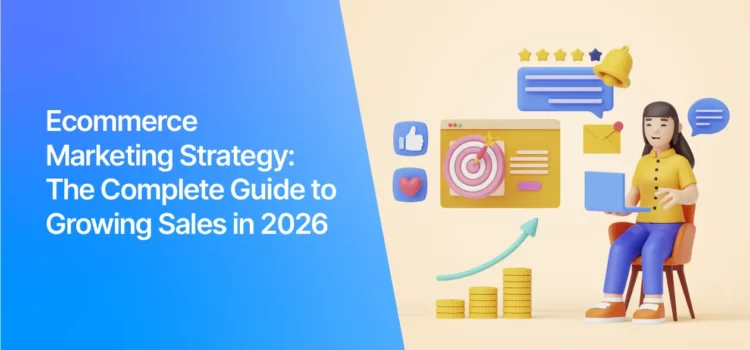
E-commerce Marketing Strategy: The Complete Guide to Growing Sales in 2026

E-commerce Marketing Strategy: The Complete Guide to Growing Sales in 2026

An e-commerce marketing strategy is a comprehensive plan designed to attract, engage, and convert online shoppers into loyal customers. It combines digital marketing tactics-like SEO, email campaigns, social media advertising, and content marketing, to drive traffic, boost sales, and build brand authority in competitive online marketplaces. Without a clear strategy, even the most beautifully designed online store can struggle to generate consistent revenue.

Continue reading