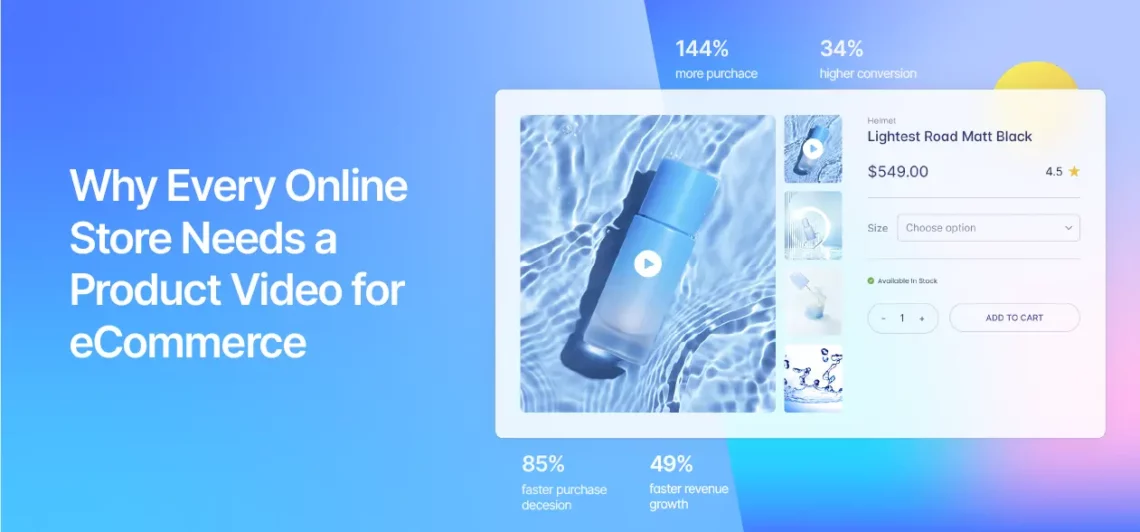
You’ve spent hours crafting the perfect product description, selecting high-resolution images, and optimizing your WooCommerce store for sales. But are you missing the one element that can skyrocket conversions?
A product video for ecommerce isn’t just a nice-to-have; it’s a necessity in today’s competitive online marketplace. Shoppers no longer rely solely on static images or text. They want to see your product in action, understand its features, and feel confident before clicking “Add to Cart.”
Studies show that product pages with video convert up to 80% better than those without. Whether you’re selling fashion, electronics, home goods, or beauty products, a well-made product video gives customers a real-life preview they can’t get from photos alone.
It builds trust, reduces return rates, and increases average order value-especially when paired with tools like the Additional Variation Images Gallery For WooCommerce plugin, which lets you showcase multiple angles and variations seamlessly.
What Is a Product Video for Ecommerce?
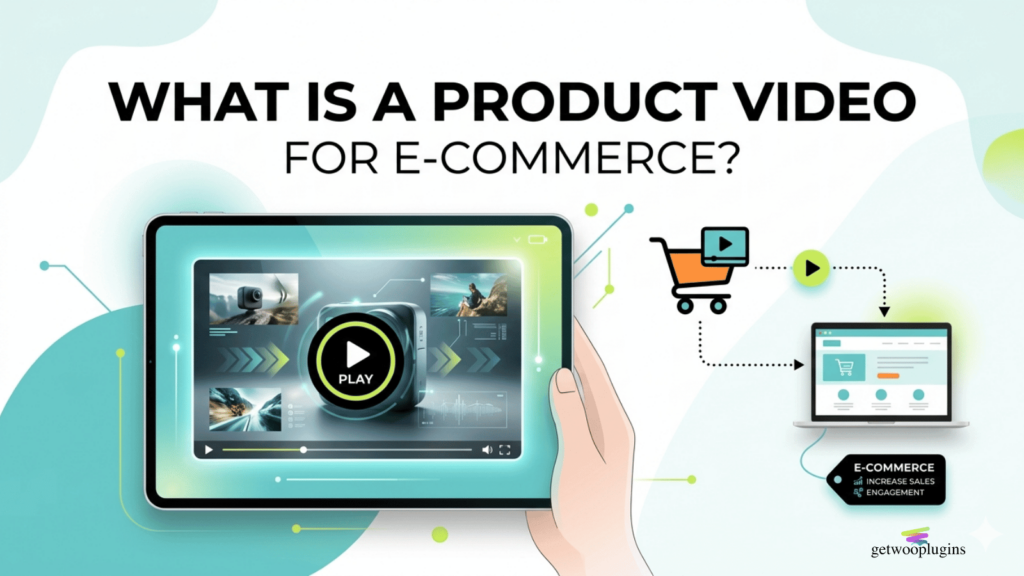
A product video for ecommerce is a short, engaging visual presentation that highlights your product’s features, benefits, and real-world use. Unlike generic promotional ads, these videos are designed specifically for product pages, giving shoppers a dynamic, immersive experience that static images simply can’t match.
These videos typically range from 30 seconds to 2 minutes and can include:
- Demonstrations of how the product works
- Close-ups of materials, textures, and details
- Customer testimonials or unboxing experiences
- Comparison with similar products
- Lifestyle shots showing the product in use
For WooCommerce stores, integrating product videos directly into product pages enhances user experience and supports better decision-making. With the Additional Variation Images Gallery For WooCommerce plugin, you can even embed videos alongside image galleries for each product variation, like different colors or sizes, giving customers a complete visual journey.
The Psychology Behind Product Videos: Why They Work

Humans are visual creatures. Over 90% of the information transmitted to the brain is visual, and visuals are processed 60,000 times faster than text. When shoppers land on your product page, they’re scanning for quick, digestible information. A product video delivers that instantly.
But it’s not just about speed-it’s about emotional connection. A well-produced video can evoke feelings of desire, trust, and urgency. Seeing someone use your product, hearing their voice, or watching it function in real time creates a sense of authenticity that text alone can’t replicate.
Moreover, product videos reduce cognitive load. Instead of reading paragraphs about dimensions, materials, or usage, customers absorb all that information in seconds through sight and sound. This leads to faster decisions and fewer abandoned carts.
How Product Videos Boost Ecommerce Sales
Let’s look at the hard numbers. According to research by Wyzowl, 79% of consumers say product videos help them make purchasing decisions. Another study found that products with video have a 34% higher conversion rate than those without.
Here’s how product videos directly impact your bottom line:
- Higher Conversion Rates: Videos build trust and clarify value, leading more visitors to buy.
- Lower Return Rates: When customers see exactly what they’re getting, they’re less likely to return items due to mismatched expectations.
- Increased Dwell Time: Engaging videos keep users on your page longer, signalling to search engines that your content is valuable.
- Better SEO Performance: Google favors pages with rich media, and product videos can improve your rankings for relevant keywords like “product video for ecommerce.”
For WooCommerce store owners, this means more sales with the same traffic. And when you use the Additional Variation Images Gallery For WooCommerce plugin, you can ensure that every product variation, whether it’s a different color, size, or style, has its own dedicated video or image gallery, maximizing relevance and engagement.
Types of Product Videos That Convert
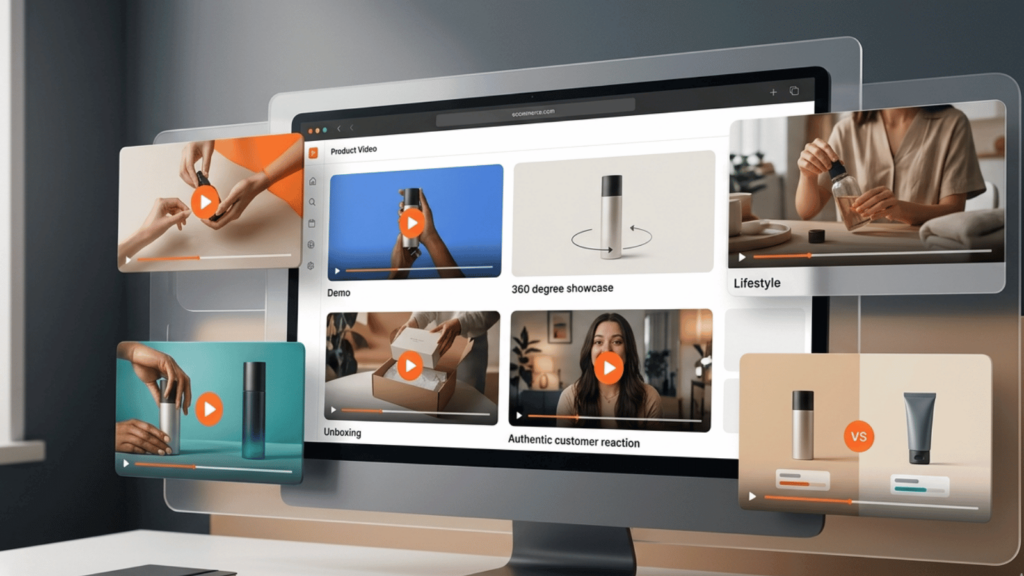
Not all product videos are created equal. The type you choose should align with your product, audience, and brand voice. Here are the most effective formats:
1. Product Demonstration Videos
Show your product in action. For example, if you sell a kitchen gadget, film someone using it to chop vegetables or blend ingredients. Highlight key features like ease of use, durability, or time-saving benefits.
2. 360-Degree or Rotating Views
Let customers “rotate” the product virtually. This is especially useful for fashion, furniture, or accessories. With the Additional Variation Images Gallery For WooCommerce plugin, you can upload multiple angles for each variation, creating a near-interactive experience.
3. Lifestyle or Contextual Videos
Place your product in a real-life setting. A yoga mat video might show someone practicing in a serene outdoor space. This helps customers visualize how the product fits into their lives.
4. Unboxing Videos
Perfect for tech gadgets, beauty kits, or subscription boxes. Show the packaging, the first impression, and the contents inside. It builds excitement and authenticity.
5. Customer Testimonial or Review Videos
Feature real customers using and praising your product. Social proof is powerful-seeing someone like them enjoy your product increases trust and relatability.
6. Comparison Videos
Compare your product to a competitor’s or show how it outperforms older models. Be honest and factual-this builds credibility.
How to Create a High-Converting Product Video for Ecommerce
You don’t need a Hollywood budget to make a great product video. With the right approach, even a smartphone and basic editing tools can produce professional results. Here’s a step-by-step guide:
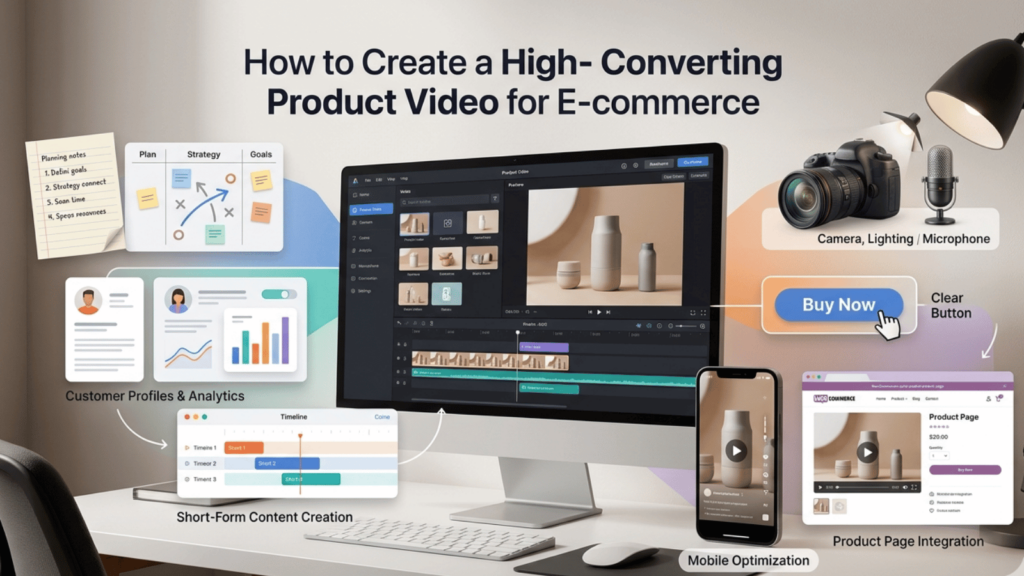
Step 1: Define Your Goal
Ask: What do I want this video to achieve? Is it to showcase features, build trust, or highlight a unique selling point? Your goal will shape the script and style.
Step 2: Know Your Audience
Who are you speaking to? A video for luxury skincare will differ vastly from one for kids’ toys. Match your tone, language, and visuals to your target demographic.
Step 3: Keep It Short and Focused
Aim for 30-90 seconds. Attention spans are short. Get to the point quickly and highlight the most important benefits.
Step 4: Use High-Quality Visuals and Audio
Even with a phone, ensure good lighting, stable shots, and clear sound. Avoid background noise. Use natural light whenever possible.
Step 5: Include a Clear Call to Action
End with a CTA like “Add to Cart,” “Shop Now,” or “See All Colors.” Make it easy for viewers to take the next step.
Step 6: Optimize for Mobile
Over 70% of ecommerce traffic comes from mobile devices. Ensure your video plays smoothly on phones and loads quickly.
Step 7: Integrate with Your Product Page
Upload your video directly to your WooCommerce product page. Use the Additional Variation Images Gallery For WooCommerce plugin to organize videos by variation, so a red dress has its own video, separate from the blue one. This level of detail improves user experience and reduces confusion.
Best Practices for Embedding Product Videos in WooCommerce
Simply uploading a video isn’t enough. You need to embed it strategically to maximize impact. Here’s how:
- Place the video above the fold: Let visitors see it immediately without scrolling.
- Autoplay with muted sound: This grabs attention without being intrusive. Allow users to unmute if they choose.
- Use a thumbnail image: A compelling cover image increases click-through rates.
- Optimize file size: Compress videos to ensure fast loading times. Slow pages hurt SEO and user experience.
- Add captions or subtitles: Many viewers watch without sound. Captions ensure your message gets across.
With the Additional Variation Images Gallery For WooCommerce plugin, you can go a step further. Instead of one generic video per product, you can assign unique videos to each variation. For example, a backpack available in black, navy, and red can have three different videos, each showing the specific color in use. This level of personalization significantly boosts engagement and conversion.
Common Mistakes to Avoid
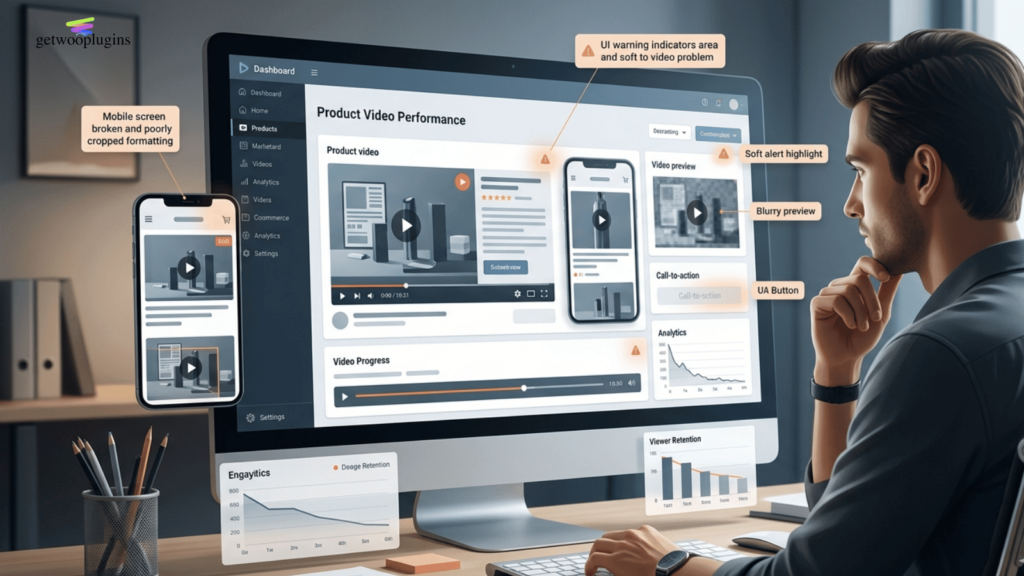
Even the best intentions can backfire if you’re not careful. Avoid these pitfalls:
- Overloading with information: Keep it simple. Focus on 2-3 key benefits.
- Ignoring mobile optimization: A video that looks great on desktop may fail on mobile.
- Using low-resolution footage: Blurry or pixelated videos hurt credibility.
- Forgetting the CTA: Don’t assume people will know what to do next.
- Uploading long videos: Anything over 2 minutes risks losing viewer interest.
Also, avoid using stock videos that don’t reflect your actual product. Authenticity matters. Customers can spot a fake from a mile away.
How the Additional Variation Images Gallery For WooCommerce Plugin Enhances Product Videos
While product videos are powerful on their own, their impact multiplies when integrated with smart gallery tools. That’s where the Additional Variation Images Gallery For WooCommerce plugin shines.
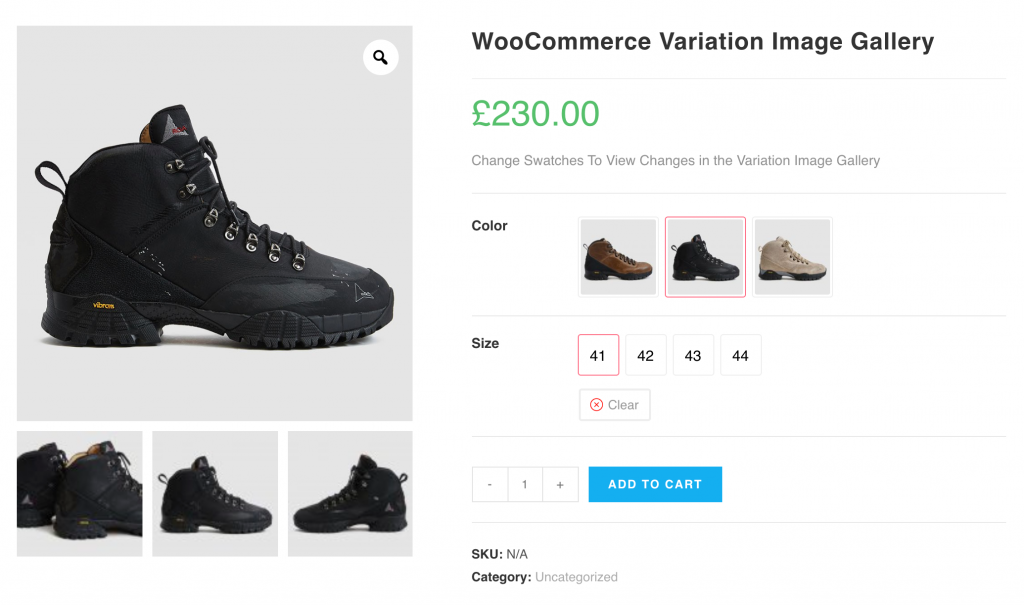
This plugin allows you to assign additional image galleries-and yes, videos-to each product variation. Imagine selling a shoe in black, brown, and ash. Instead of one generic video, you can upload three separate clips, each showcasing the specific finish in natural light. Customers see exactly what they’re buying, reducing hesitation and returns.
Here’s what the plugin offers:
- Display Unlimited Variation Images Per Product Variation: With default WooCommerce, you can insert only a single image additionally. The WooCommerce Additional Variation Images Gallery plugin brings an option to insert unlimited images for each WooCommerce product variation.
- Display YouTube, Vimeo, Hosted Video Per Product Variation: Besides adding extra images per WooCommerce product variation for product image gallery, with this plugin, you can easily insert unlimited YouTube, Vimeo, and self-hosted videos.
- Automatic Gallery Image Slide: With WooCommerce default, customers must manually change the gallery image to view corresponding variation images. With the WooCommerce Additional Variation Swatches plugin, the gallery will slide automatically so that customers can see additional product images without manually changing them.
- Seamless integration: Works natively with WooCommerce-no coding required.
- Mobile-responsive design: Galleries and videos look great on all devices.
- Improved user experience: Customers can switch between variations and instantly see updated media.
- SEO benefits: Rich media content improves page relevance and dwell time.
By combining high-quality product videos with this plugin, you create a shopping experience that’s both informative and immersive. It’s not just about showing your product-it’s about showing it in the best possible light, for every possible option.
Measuring the Success of Your Product Videos
You’ve created and embedded your videos-now what? Track performance to see what’s working and where to improve.
Key metrics to monitor include:
- Video completion rate: Are viewers watching the entire video?
- Click-through rate (CTR): How many people click the video to play it?
- Conversion rate: Are video viewers more likely to purchase?
- Bounce rate: Do videos reduce the number of people leaving your page?
- Average time on page: Are users spending more time engaging with your content?
Use tools like Google Analytics, heatmaps (e.g., Hotjar), and WooCommerce reporting to gather insights. A/B test different video styles, lengths, and placements to find your winning formula.
Key Takeaways
- A product video for ecommerce is essential for building trust, reducing returns, and increasing conversions.
- Videos help customers understand your product faster and more effectively than text or images alone.
- Use formats like demonstrations, 360 views, and lifestyle shots to engage different buyer personas.
- Keep videos short, mobile-friendly, and optimized for fast loading.
- Embed videos strategically-above the fold, with clear CTAs, and muted autoplay.
- The Additional Variation Images Gallery For WooCommerce plugin lets you assign unique videos to each product variation, enhancing personalization and clarity.
- Track performance with analytics to refine your video strategy over time.
FAQ
Do I need expensive equipment to make a product video?
No. A smartphone with good lighting and a tripod can produce professional results. Focus on clarity, stability, and sound quality. You can enhance videos with free editing tools like Canva or CapCut.
Can I use the same video for all product variations?
It’s better not to. While one video may work for simple products, using variation-specific videos-especially with the Additional Variation Images Gallery For WooCommerce plugin, gives customers a more accurate and personalized view, reducing confusion and returns.
Where should I host my product videos?
For best performance, upload videos directly to your WordPress media library or use a fast, reliable platform like YouTube (unlisted) or Vimeo. Avoid third-party embeds that slow down your site. Always optimize file sizes for quick loading.

)