Do you have products with many variations and want to duplicate your WooCommerce product variations?
When your variation products have the exact attributes, it isn’t easy to copy product variations and attributes from one product to another.
For instance, you sell a product with three different color and size attributes. That means you have a total of nine variations.
Adding or updating the attribute can be a little frustrating as you must update manually for each variation.
What if you could update attributes in a few clicks?
But, by default, WooCommerce has limitations and doesn’t have such features.
That’s where Duplicate Variation for the WooCommerce plugin plays a vital role.
This tutorial will show you how to duplicate WooCommerce product variations from one to another.
We have created a video tutorial on duplicating variation products to make the process easy for you.
WooCommerce Duplicate Product Variation
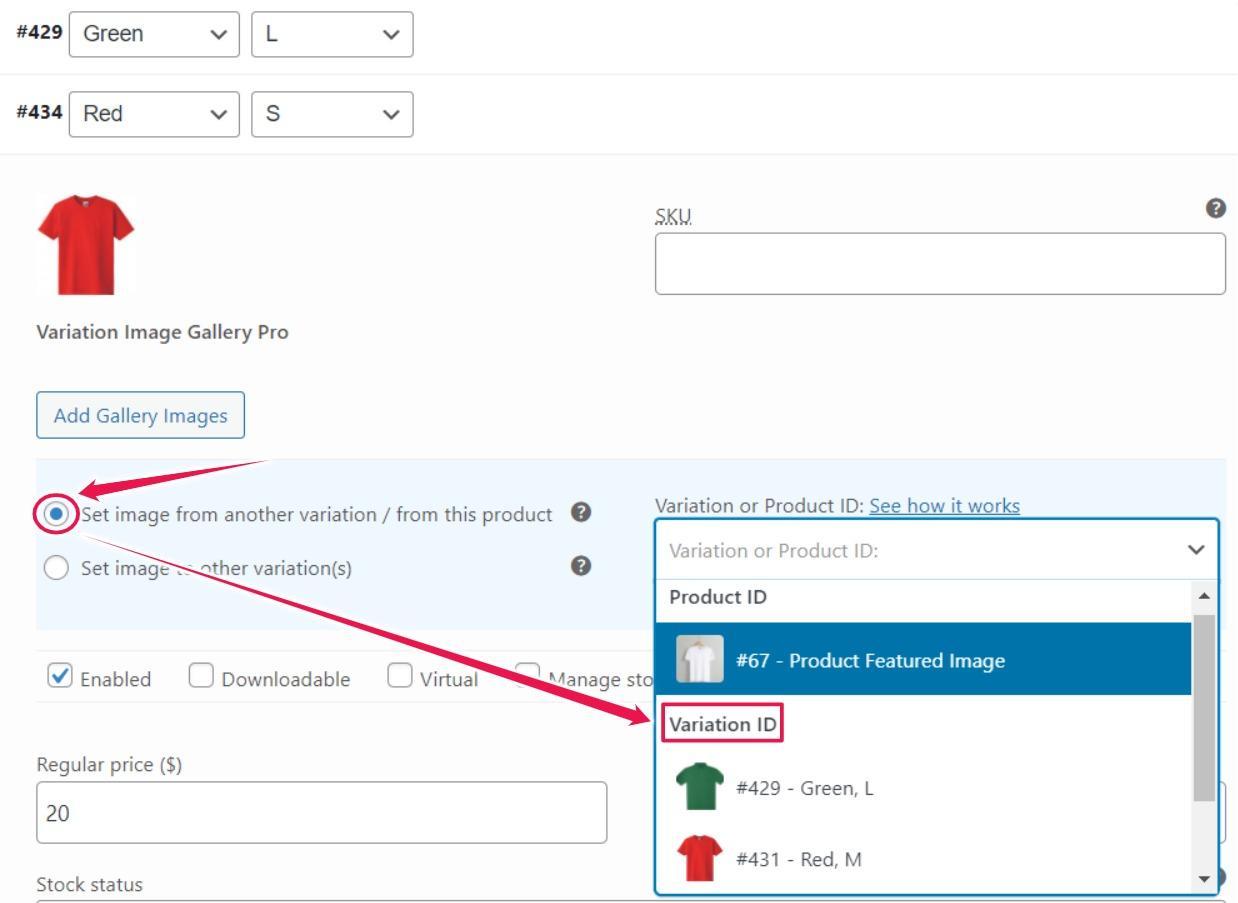
As soon as you select the Set image from this product option, a text field will be added on the right side. After that, you can choose a product image from the Variation ID dropdown list to duplicate your desired image variation.
Note: here, the Product ID is the featured image.
Set image to other variations
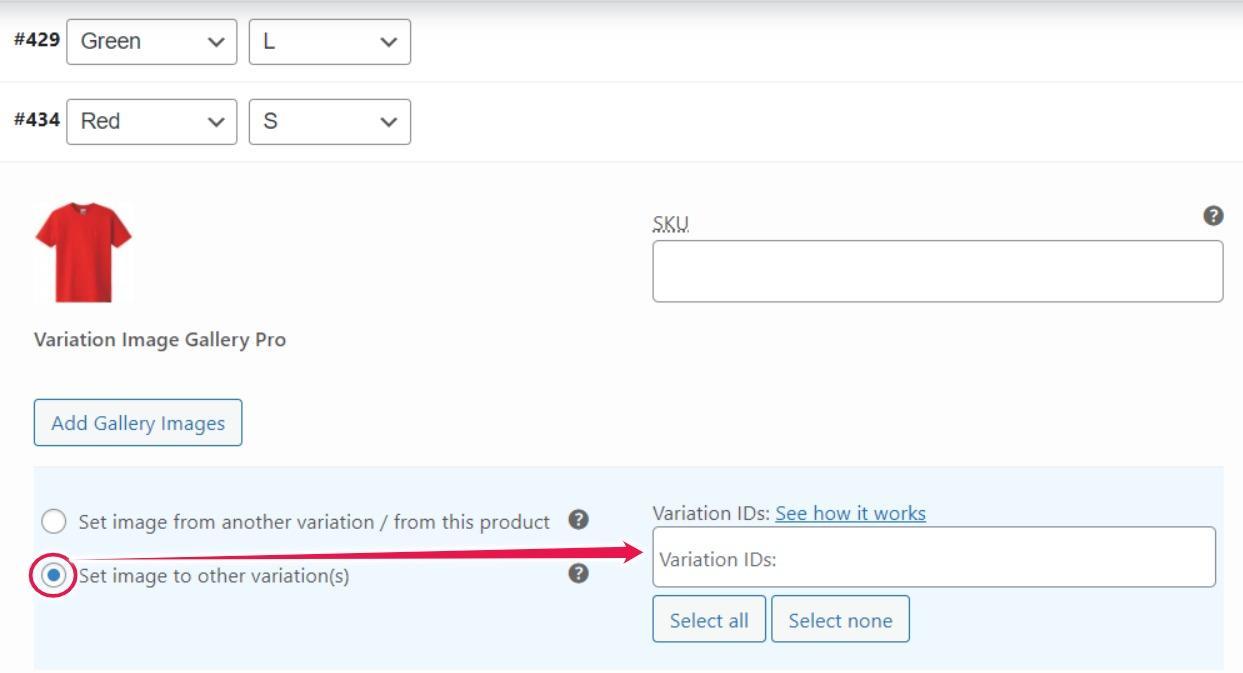
When you want to duplicate images from other variations, you need to select this option. Once you select it, you can choose a variation id to clone.
There are options to select an individual variation, and you can choose all variation IDs.
Final Words
The plugin is handy if your variable products contain similar attributes such as type, variation prices, SKU, and other information. Moreover, it is compatible with the Additional Variation Images Gallery plugin.
The Variation Duplicator for WooCommerce plugin is fantastic for making duplicate variations. With just a few clicks, it helps you duplicate or clone any variations from WooCommerce products.

